
Hi everyone, my name is Sergio Campos, and I’m the founder of ECF and today we’ll be presenting on ECF for Financial Professionals, and I thank you very much for attending this presentation. First, let’s start with an introduction of ECF. ECF is a financial planning application, and ECF’s mission is to offer financial professionals a path for a more inclusive and intuitive financial planning experience and we will elaborate on this mission today through my agenda. The agenda is to first discuss the problem ECF is tackling head-on, and then we’ll discuss the solution ECF is bringing to the table, and then we’ll finish off with how to get started with ECF today.
First, let’s start off with a little bit about myself. I am the founder of ECF. I have 10 years in the wealth management industry serving clients primarily in the San Francisco Bay Area, but I’ve also worked with advisors and clients throughout the country and even abroad. I have a degree in economics from San Jose State University. I have a financial planning certificate from UC Berkeley Extension, and I have founded a financial technology operations tool in the past. It was successful and acquired by a large vendor in the wealth tech space, and now I’m taking all this experience I have and applying it towards ECF.
So now we’ll move on to the problem that ECF is tackling head-on. There are many financial planning tools available to financial professionals and advisors at the moment, and I’ve been what you would call a power user of many of these tools and what does a power user mean? I’ve spent countless hours, months, and years learning these tools. I’ve been the administrator for many of the planning tools that are available. I have attended countless trainings, and so the point being, I’ve spent a lot of time using the options that are available now on the market, and they are great tools for very complex clients, but I found that a lot of the time the features that they have are not useful. Sometimes these tools have countless features and menus that a lot of times advisors don’t use.
And the other problem with these tools is that they take months to learn, and I don’t think that’s an exaggeration. I myself have spent months, years mastering some of these tools. I’ve also discovered that retrieving basic information in some of these tools is very difficult to do.
I’ve also seen that advisors often need to hire additional support staff to manage the tools because they are so complex, time-intensive, and take a long time to learn. And the last thing I’ve noticed in my 10 years of experience using these tools is that they are often too complicated for clients to engage with, too complicated to display in the meeting with your clients. I’ve seen this firsthand in countless client meetings that I’ve attended.
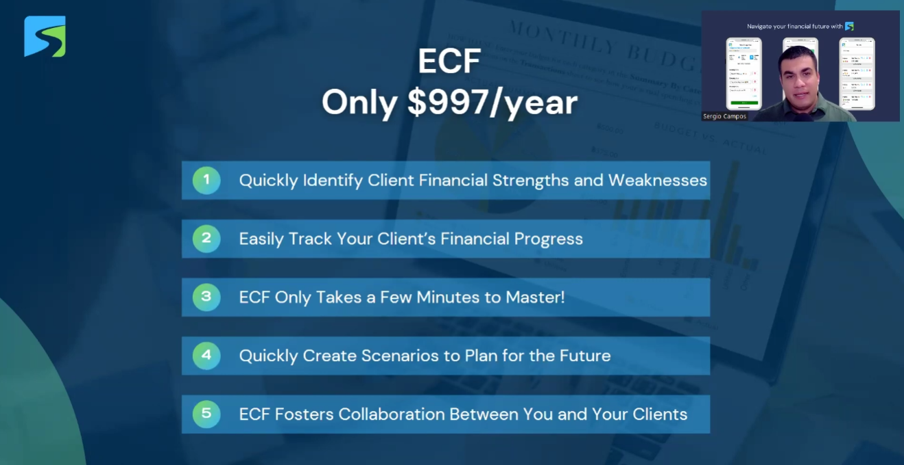
So now I present to you the solution: ECF. And right off the bat, I just want to let you know that ECF is only $997 a year. That is a lot less expensive than the other financial planning tools out there on the market.
And the benefits of ECF are that it can help you quickly identify client financial strengths and weaknesses very easily. It’s very easy to track your client’s financial progress using ECF. ECF only takes a few minutes to master. There are no certificate programs or training sessions that we will charge you a thousand dollars a day for. It’s really easy to learn. We have learning material available in case you need extra education.
And we also offer live training sessions for you and your team. With ECF, you can also quickly create scenarios to plan for the future and what-if scenarios. Last but not least, ECF is really focused on fostering collaboration between you and your client.
So when developing ECF, we are always keeping in mind what your client is going to experience. And we will showcase that today to you in this presentation. How easy and client-friendly ECF is.
ECF complements your planning process. As someone who has 10 years of experience in the wealth management and financial planning industry, I have a really deep understanding of the approaches of financial planning. There are different approaches, different varieties, and some advisors have their own approach.
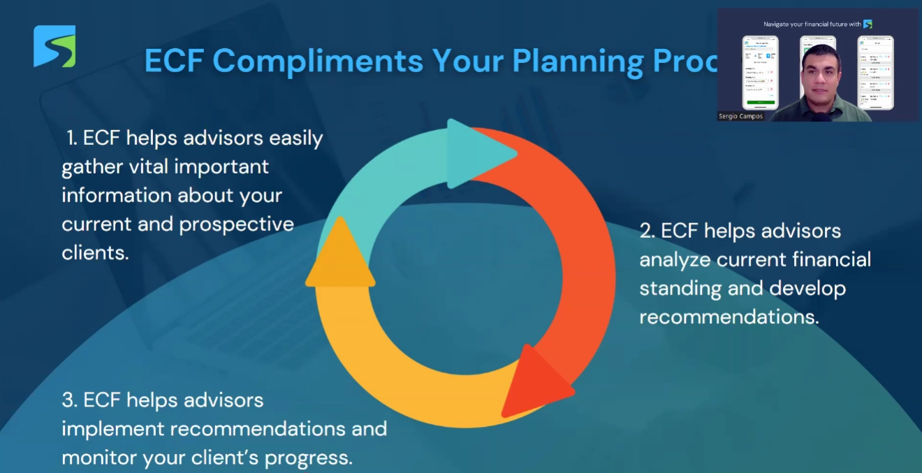
It’s something I’ve learned working with dozens of advisors now. But a lot of them are similar in the sense that there are three common phases, and usually advisors will add their own details. But this is a very high-level view of what I’ve seen advisors use for their financial planning process.
And so ECF will complement your planning process, which usually entails step one, where the ECF helps advisors easily gather vital information about your current and prospective clients. And then ECF helps advisors analyze current financial standing and even helps develop recommendations for those clients and prospective clients. Then ECF also helps advisors implement the recommendations and monitor the client’s progress.
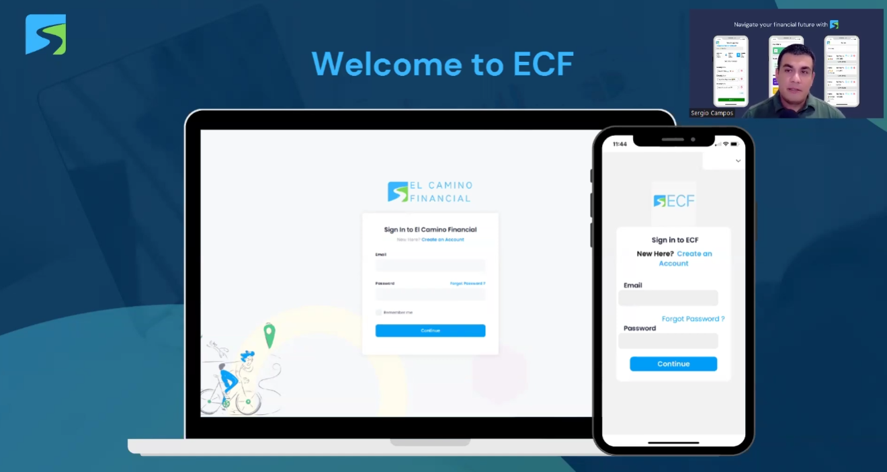
So now we’re going to dive into the ECF app. And this is the login screen that you’ll see when you’re logging into ECF. You and your clients will both see this.
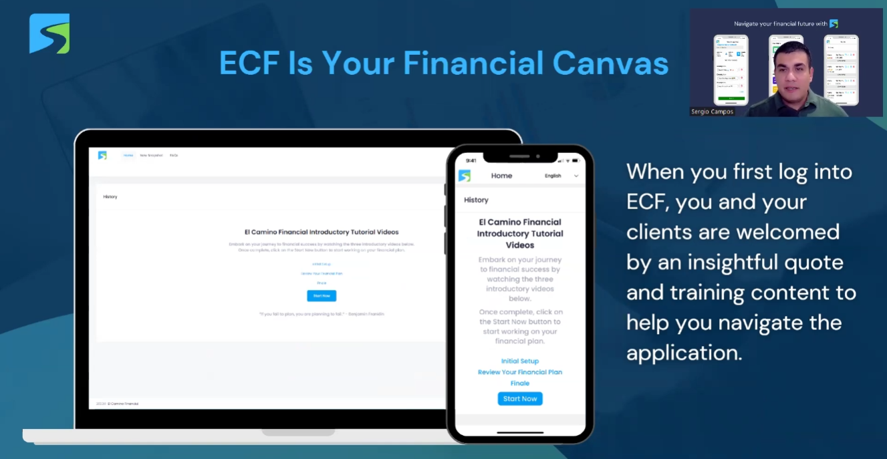
And then when you log in, this is what you’ll first see. When you first log in to ECF, you and your clients are welcomed by an insightful quote and training content to help you navigate the application. And this is your financial canvas. And as you use ECF, this canvas will be populated with very clean, legible financial data on your clients.
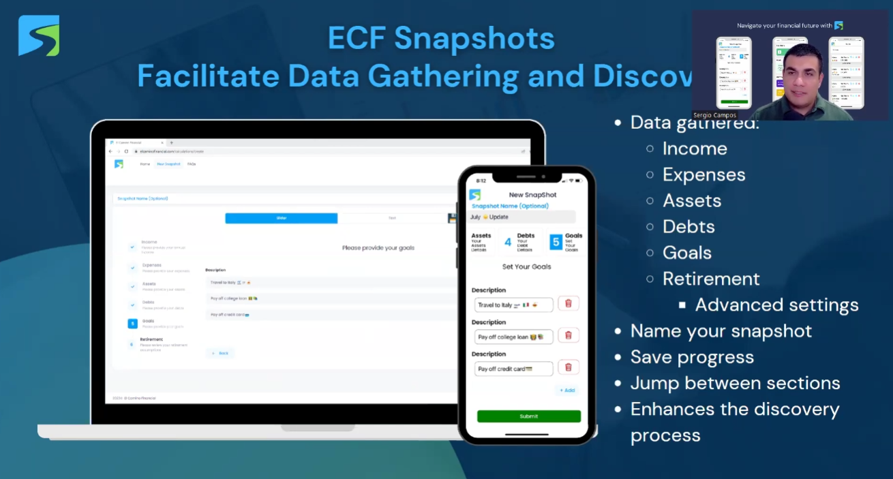
And then we’re moving on to how to gather information on your clients. And we do this through the ECF snapshot process. ECF snapshots facilitate data gathering and discovery. And in this ECF snapshot creation process, we have created a way to easily gather very important data points on your clients, such as income, expenses, assets, debts, goals, and even retirement assumptions. In this process, you can also name your snapshot and save progress if you want to come back later and finish this process. You can jump between sections if you want to start somewhere else. And I believe that this enhances the overall discovery process.
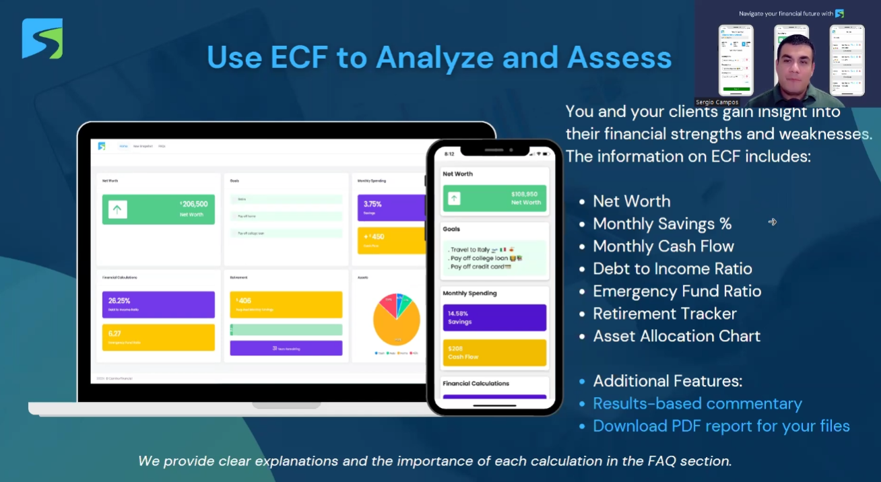
Once that information is collected, ECF uses the data to analyze and assess the client’s financial standing. So after you’ve gone through the new snapshot process, you and your clients gain insight into the client’s financial strengths and weaknesses. The information on the ECF snapshot includes net worth, monthly savings percentage, monthly cash flow, a debt-to-income ratio, emergency fund ratio, retirement tracker, and asset allocation chart. Now we have additional features such as result-based commentary. When you click on any of these sections, we have positive commentary. Commentary that fosters positivity and motivation for your clients. And no matter what the results are, even if the results aren’t ideal, the commentary produced is meant to be positive and reinforcing a positive message.
From this view, you can also download a PDF report to save in your files or send to the client. And I also want to add that these calculations are very easy for, of course, the advisor and the client to understand. These calculations can be calculated on a calculator very simply. It’s very easy to explain. We have very clear explanations of each calculation in our FAQ section that the advisor and the client can access if they want to learn more about how these data points are calculated. And one of the problems I’ve seen now with the tools of our industry is that there’s many companies coming up with their own proprietary scores and evaluation methods to determine how if a client is reaching their goals or not. And oftentimes, those scores are not easy to explain and not easy to understand. And so, ECF is leveraging fundamentals that I learned about through my experience and also my experience in the classroom attending the UC Berkeley Extension Financial Planning Program. These are all vital data points to a financial plan, unlike the custom proprietary scores that many companies are coming up with now.
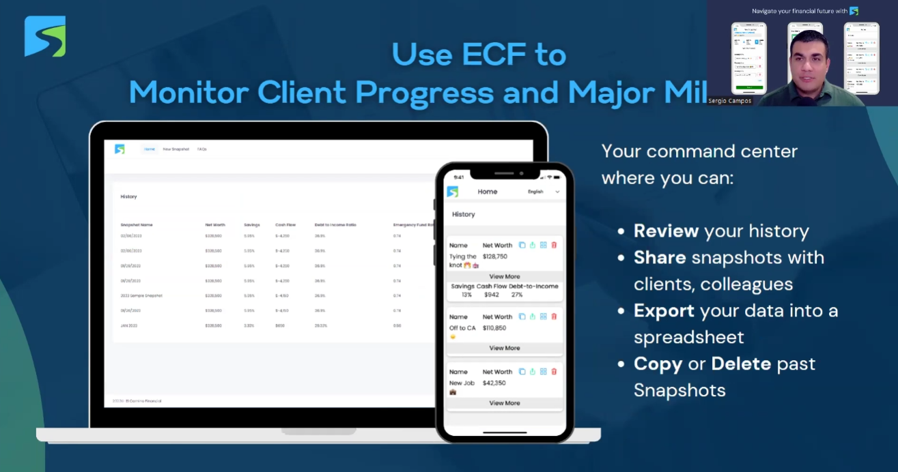
And so, moving on, once you’ve created at least one snapshot, the homepage starts to populate with a very high-level summary of what you see in the snapshot dashboard with all the colors. In the homepage, you can see a higher-level view, a more condensed view of all the snapshots. And these are organized very cleanly. And within each row, you can jump into the dashboard, which we saw in the last slide, to see a much bigger, more visible picture of the client’s financial standing. And also, from the homepage, you can share the snapshots with clients and colleagues.
There is a share feature here. You can export this data into Excel, and you can copy and delete snapshots if you need to. And another thing I want to add is that the web application you see here on the laptop, this is exclusively for financial professionals. Clients can see the snapshots you share with them through a mobile app. They can download it through iTunes, the Apple Store, or the Android Google Play Store. We have an application available, and your clients can download the application for free. And they can then see the snapshots that you create for them.
And you will most likely be creating the snapshots using our web application that you can use on a desktop, laptop, or computer. And the web app is exclusively for financial professionals. It’s something we’ve designed and curated exclusively based on the feedback from financial professionals we’ve spoken with, and also using my experience working with advisors for the last decade. And so again, the web app is exclusively for financial professionals, and the mobile apps are available to your clients to see the snapshots that you create for them.
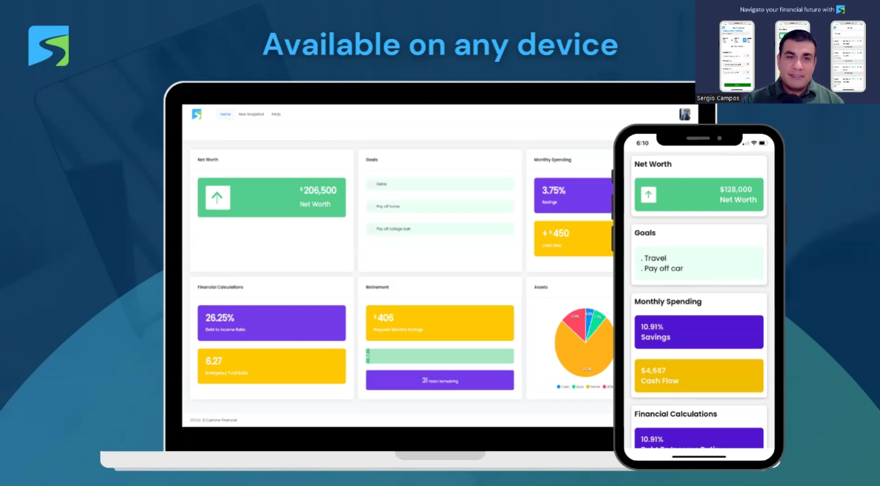
And again, this slide is just to elaborate on the fact that ECF is available on a mobile device and a desktop computer. And as advisors, you can use either one to create snapshots. The web app works great. The mobile app works just as well as the desktop. Some might prefer to create them on a desktop computer, but if you need to create a snapshot on the fly through your phone or your tablet, I guarantee you the experience on the mobile application is just as good as the desktop experience. The desktop provides a couple of more features that are not on the web app, but I guarantee you it’s just as good, whether you want to create snapshots on a mobile device or a desktop.
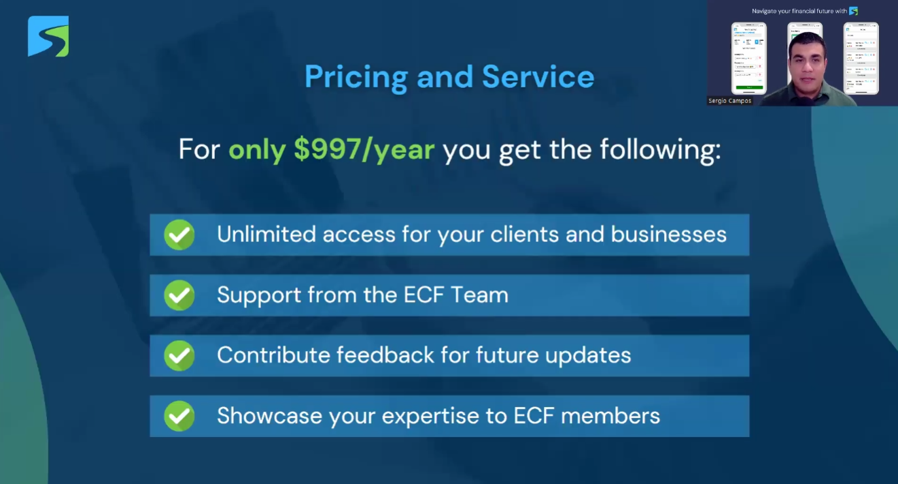
And so again, for only $997 a year, you can get unlimited access for your clients and business, unlimited access to ECF, and support from the ECF team. You can also contribute feedback to future ideas and updates. And we also have a consumer side where we offer individuals access to our mobile apps. Again, they do not have access to the web app. That is only available to advisors, but we do offer access to the mobile apps for individuals. And we have many individuals signing up, and some of those people are looking for advisors. And if you were to come on board to ECF, we can share your expertise with those individuals looking for more help beyond the ECF app.
And that’s it for today’s presentation. If you are interested in learning more, please visit elcaminofinancial.com. And from there, you can schedule a demo. You can email me at hello@elcaminofinancial.com to schedule a demo. And I’d love to meet with you and answer any questions you have and provide as much information as I can. I guarantee you that El Camino Financial will save you time, will offer a better client experience, and will also enhance your service offering to your clients. And I thank you very much for attending this presentation, and I look forward to hearing from you. Thank you, and have a great day.